New PO for Services


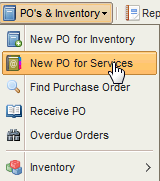
Access the menu as per the screenshot below:
New PO screens opens :
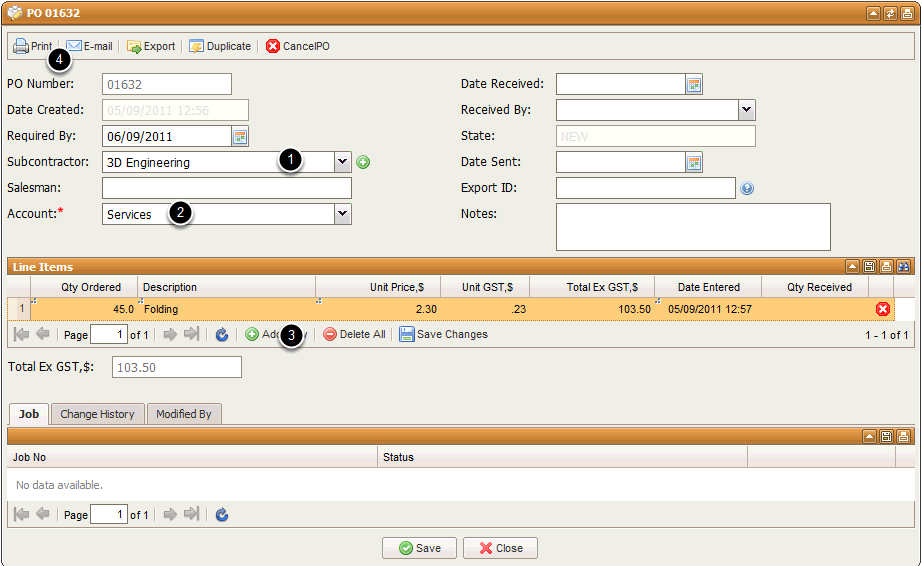
1.Select the Subcontractor you wish to send the PO to
2.Select the type of account this belongs to ( ie Services )
3.Select Add New and enter as many items as necessary ( QTY , Description and Price )
4.Print or Email the PO