Ready for Cutting


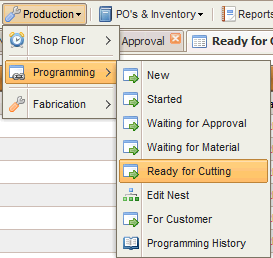
Access this option via the menu in the screenshot below :
A list of nests ready to cut is displayed :

1. press this to show the job form
2. press this this to show a list of all clients present in this nest
3.press this to show a list of all parts in this nest
4.press this to print the production job card
5.press this to show a list of all digital attachments ( Order. PDF,DxF etc) for this nest and its parts
6.press this to print the job cards for all the secondary operations belonging to the parts in this nest
7.press this to raise another purchase order against this nest (raw materials )
8.press this to edit this nest